Single Touch Payroll (STP) 2
Cloud Aged Care is getting ready for STP 2.
Read Single Touch Payroll (STP) 2
Cloud Aged Care is getting ready for STP 2.
Read Single Touch Payroll (STP) 2
Payroll software usually make Year-end procedures, generating group certificates and finalising the STP for the year with the ATO unnecessarily complicated. With Cloud Aged Care it couldn’t be any simpler.
Read Year End Procedure with Cloud Aged Care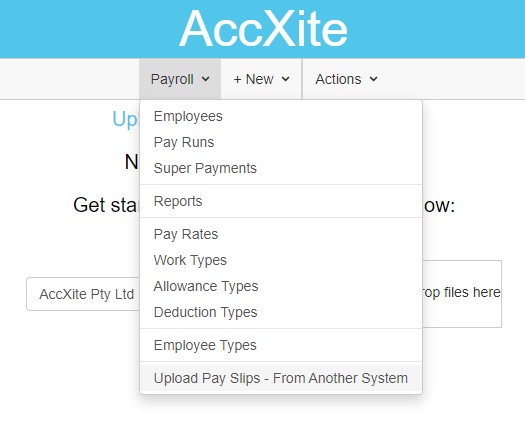
If you are using another system to manage your payroll and if that system does not support single touch payroll, you have the option to generate a csv file from that system and upload it to Cloud Aged Care.
Read Uploading CSV file to Cloud Aged Care Single Touch Payroll
You can use Cloud Aged Care to enroll in JobMaker Hiring Credit Scheme.
Read JobMaker Hiring Credit Scheme with Cloud Aged Care
Sometimes browsers keep a copy of the old screens in memory and take their time to reload the new screens. When we do an update, it might look like the app is not working or displaying information correctly.
Read Reload Cloud Aged Care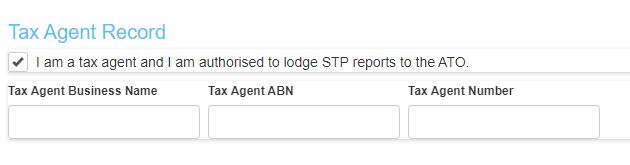
If you are a tax agent, you need to set up yourself as a tax agent in Cloud Aged Care before you can lodge the STP reports for your client.
Read Setting Up as a Tax Agent in Cloud Aged Care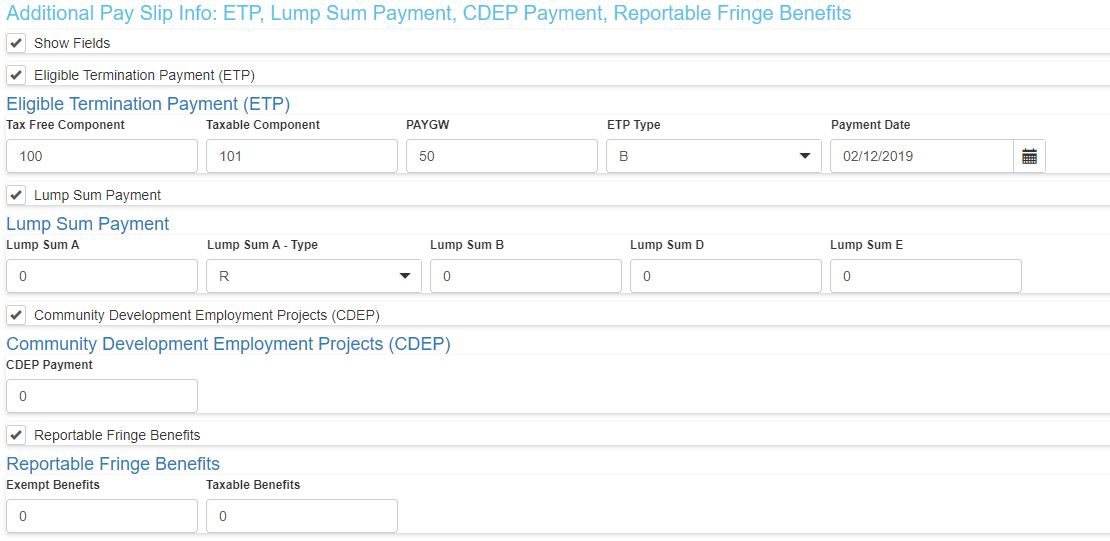
Reporting Eligible Termination Payment (ETP), Lump Sum Payment, Reportable Fringe Benefits and CDEP is very straight forward in Cloud Aged Care.
Read How to Report Eligible Termination Payment (ETP), Lump Sum Payment, Reportable Fringe Benefits and CDEP
Cloud Aged Care provides 3 ways to enter wages information in a pay slip: Time Sheets, Manual Hours or Manual Wages.
Read Flexible Time Sheet
There are few reasons why you might want to change the tax that Cloud Aged Care has automatically calculated in the pay run. As with every other circumstance, what you need to do will depend on your situation.
Read How do I manually change the tax that Cloud Aged Care has automatically calculated?
If you are new to Cloud Aged Care, one of the first questions that you will have is how to record the payments that have already been paid during this financial year? As always Cloud Aged Care gives you few options to accomplish this.
Read Bringing the Year to Date figures to Cloud Aged Care for Single Touch Payroll lodgement
As of 30th September 2019, MYOB will no longer provide features, patches, compliance updates or product support for desktop solutions. What can you do, as a business to comply with Single Touch Payroll (STP) requirements?
Read Existing MYOB user needs Single Touch Payroll solution (i.e. How to use Cloud Aged Care with MYOB)
Claiming Cloud Aged Care is the easiest single touch payroll software is a big claim. However, this is not a marketing spin. There are Fact based items that Cloud Aged Care does that truly separates it from the rest.
Read Easiest Single Touch Payroll Software is…. Cloud Aged Care
If your lodgment to the ATO has the same entries every pay run, you will be thinking how can I automate this process. There are few gotcha's you need to be aware of when automating the Single Touch Payroll Lodgment.
Read How to Automate the Single Touch Payroll Process?
In your business, you might have employees being paid in a different pay cycle. For example, you might have employees being paid weekly and owner being paid monthly.
Read How to pay employees in different pay cycles
If you have more than one business that you are looking after (you might be the owner or you might be a tax agent), then you need an easy way to manage them. Cloud Aged Care provides you the easiest way to manage more than one business from the same screen under the same email.
Read Setting up multiple businesses for Single Touch Payroll under Cloud Aged Care
There is a misconception out there that if you are registered for Single Touch Payroll then you don’t need to provide pay slips to your employees. This is not correct and could land your business in trouble.
Read Pay Slips and Single Touch Payroll – Huge Misconception that could land you in trouble
If your business needs to pay annual leave loading you need to set it up so that Cloud Aged Care automatically picks up the correct loading. Most of the business that have a leave loading has 17.5% leave loading.
Read How to Add Leave Loading to Cloud Aged Care Payroll
It is very easy to correct mistakes in Cloud Aged Care even after you make a lodgement.
Read How to correct mistakes even after Single Touch Payroll (STP) lodgement is made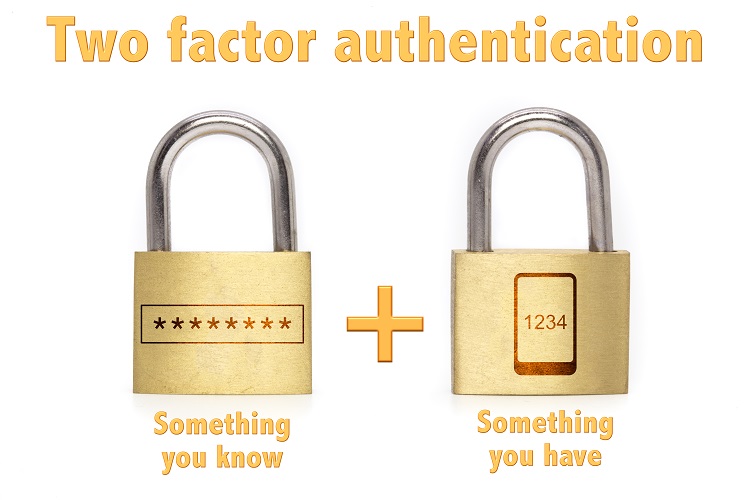
After you have started using Cloud Aged Care you might end up in a situation where you might need to change the phone. Alternatively, you might want to use a second phone as a backup for 2 Factor Authentication. Setting up the new phone with 2 Factor Authentication is pretty straight forward with Cloud Aged Care.
Read How to set up a new phone with 2 Factor Authentication?
There is a good chance that you are the only person in the business looking after the Single Touch Payroll (STP) for your business. If you are planning to go on leave there are few things that you could do.
Read I am going on leave. How do I report STP (Single Touch Payroll) to ATO?Talk to us about payroll, workforce, resident finance, Support at Home, CHSP or Finance.
Ask us about the 90-day money-back guarantee.
Book a Demo