Setting Up as a Tax Agent in Cloud Aged Care
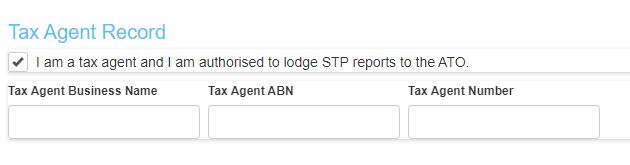
If you are a tax agent, you need to set up yourself as a tax agent in Cloud Aged Care before you can lodge the STP reports for your client.
You can set it up in few easy steps:
- Go to Actions – Tax Agent Setup
- Click on “New Tax Agent Record”
- Click on “I am a tax agent and I am authorised to lodge STP reports to the ATO”
- Enter your tax agent details
- Click on Save
Important: Please ensure that your client is on your tax agent list in the tax agent portal. The ATO will check your client list against the entity details. If it is not on your list, then the pay run has to be deleted, you need to enter the client in the tax agent list and then you need to redo the pay run and submit it.
Related